> For the complete documentation index, see [llms.txt](https://docs.swish.app/llms.txt). Markdown versions of documentation pages are available by appending `.md` to page URLs; this page is available as [Markdown](https://docs.swish.app/how-to-show-a-quantity-selector-on-the-wishlist-page.md).
# How to show a quantity selector on the wishlist page?
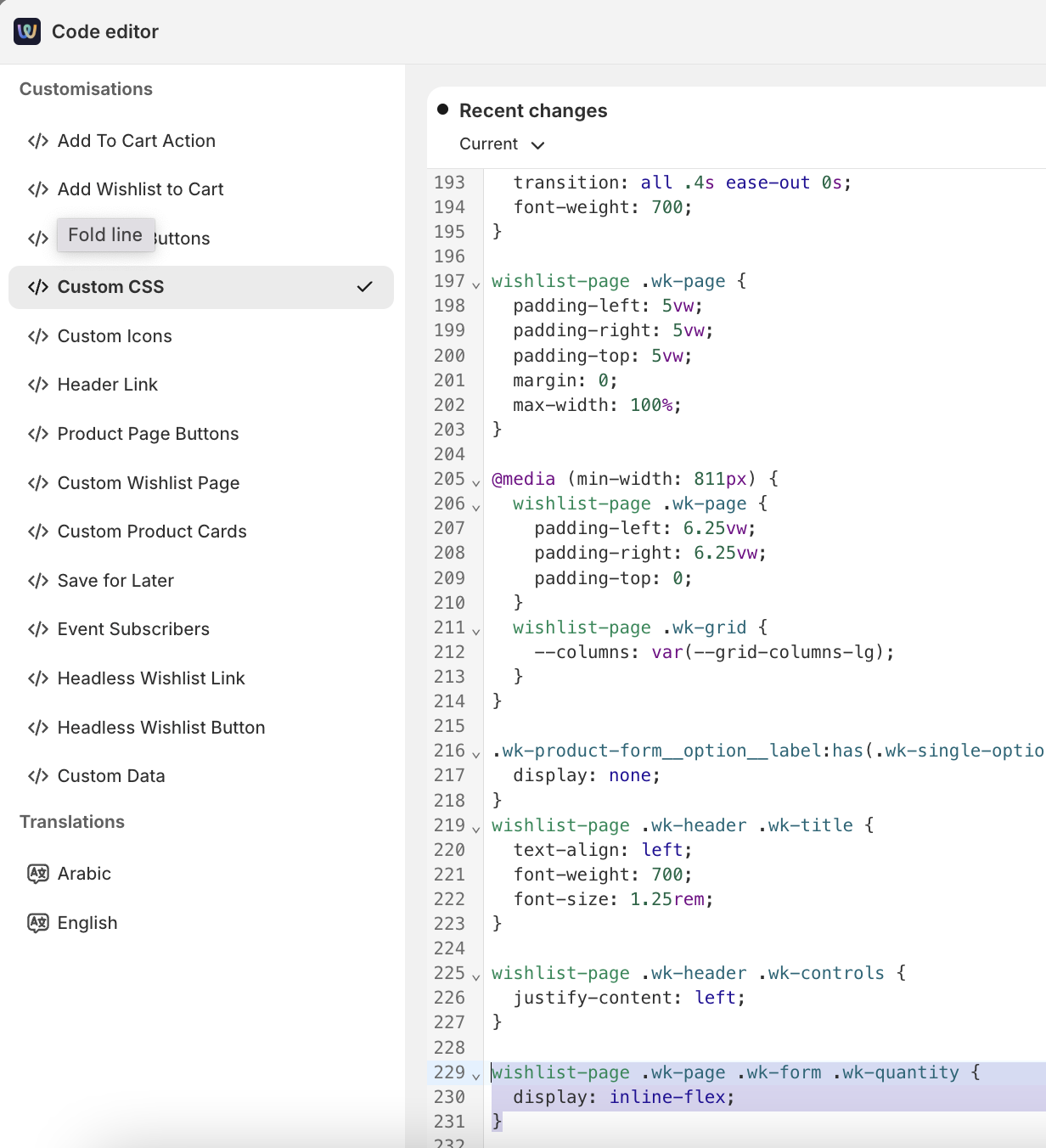
This guide walks you through how to display and style a quantity selector in your Wishlist using Swish’s Code Editor.
### Enable Quantity Selector
In **Swish → Settings → Code Editor → Custom CSS**, add:
```css
wishlist-page .wk-page .wk-form .wk-quantity {
display: inline-flex;
}
```
## Show quantity selector with horizontal counter
### Update the Quantity Markup
In **Swish → Settings → Code Editor → Custom Product Card**, update the .wk-quantity block from:
```javascript
```
to:
```javascript
```
### Add Quantity Counter Logic
In **Swish → Settings → Code Editor → Custom Product Card**, add the following to your component’s JavaScript:
```javascript
updated() {
const input = this.renderRoot.querySelector(".wk-quantity-input");
const minus = this.renderRoot.querySelector(".wk-qty-minus");
const plus = this.renderRoot.querySelector(".wk-qty-plus");
if (input && minus && plus) {
minus.addEventListener("click", () => {
let value = parseInt(input.value) || 1;
if (value > 1) input.value = value - 1;
});
plus.addEventListener("click", () => {
let value = parseInt(input.value) || 1;
input.value = value + 1;
});
}
}
```
### Style the Counter Buttons
In **Swish → Settings → Code Editor → Custom CSS** (example CSS)
```css
wishlist-page .wk-page .wk-form .wk-quantity {
display: inline-flex;
margin: 0;
width: 50%;
height: 45px;
flex-wrap: nowrap;
flex-direction: row;
border: 1px solid #00000063;
}
.wk-qty-btn {
height: 100%;
width: 100%;
padding: 0;
display: flex;
justify-content: center;
align-items: center;
}
```